Shelf Help
Our own product: a home-library catalog that finds any book, and the shelf it’s on, in seconds. Built first for one family’s shelves, now open to anyone.
- Client
- Our own product
- Location
- Our studio, East Nashville, Tennessee
- What we built
- Home-library catalog · search · lending · full-stack product
- Stack
- Astro + Preact · Cloudflare Workers · R2 · Open Library
- Live site
- shelfhelp.co (opens in a new tab)
“Do we have this book? Where is it?”
Shelf Help started with one family’s home library: hundreds of books on shelves and in bins around the house, and a printed shelf list.
It gets asked two things. At the shelf, on a phone: do we have this book, and where is it? That answer has to come in under five seconds. At a computer: keeping the list right as books arrive, leave, move or go out on loan. The printed list became the first 427 entries. Then 23 photos of the shelves were read and added in one batch of 385, and a few more have come in one at a time since.
- 817 books catalogued on 21 shelves and in 9 bins
- 385 read from 23 shelf photos and added in one batch, before the app’s photo reader
- 525 Open Library covers the rest get a drawn cover
- 83% shelf picks right when it’s sure enough to preselect
Source: the live library and the project’s own records and tests, October 2026.
The books are the picture
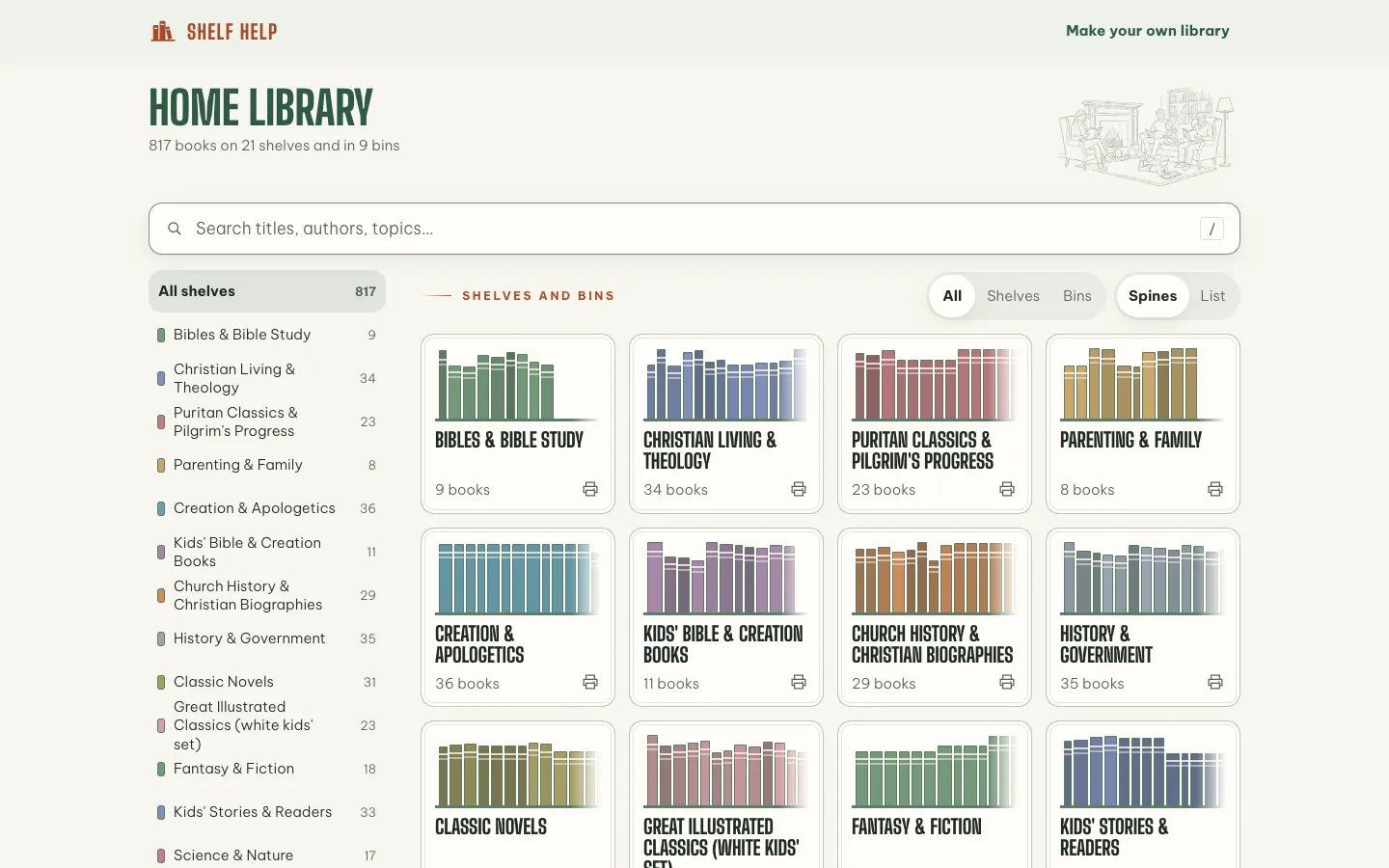
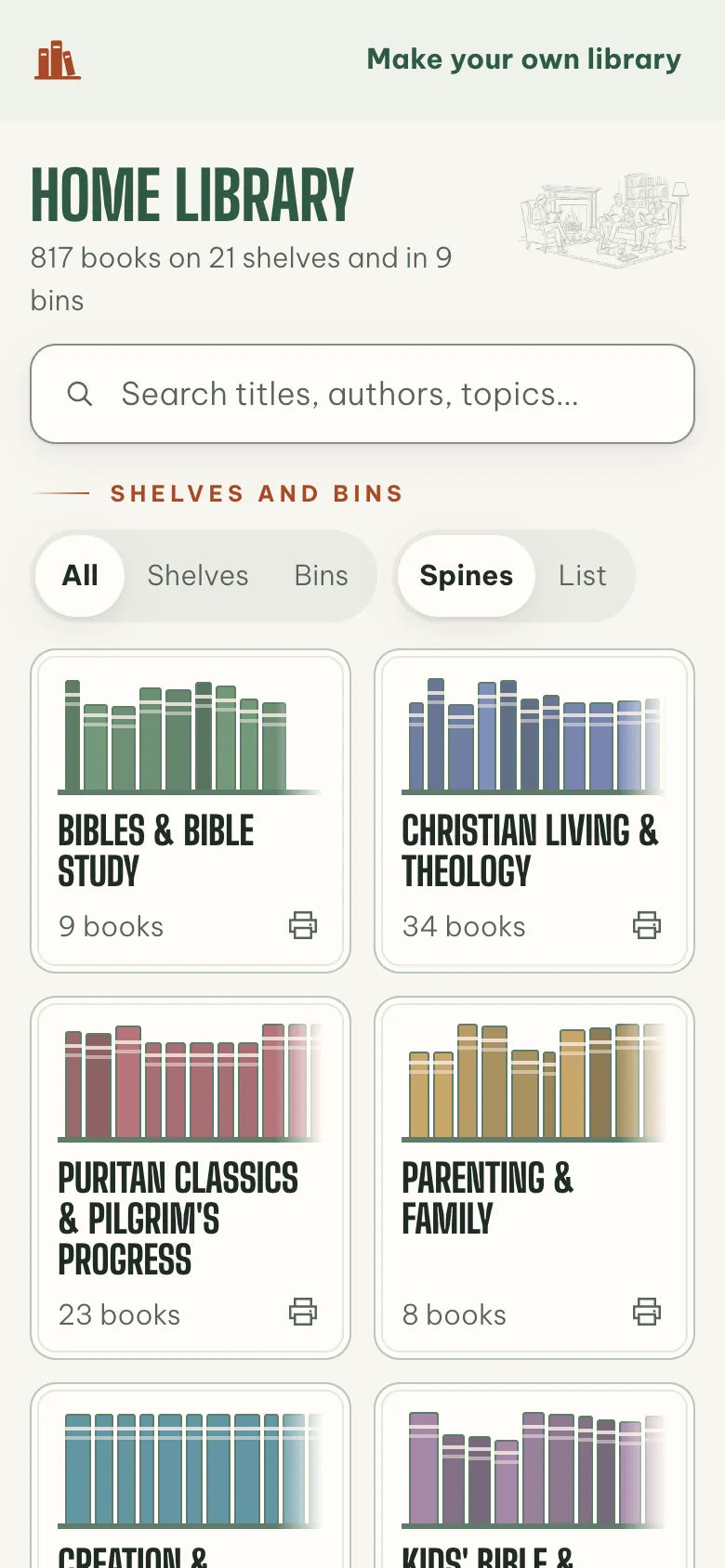
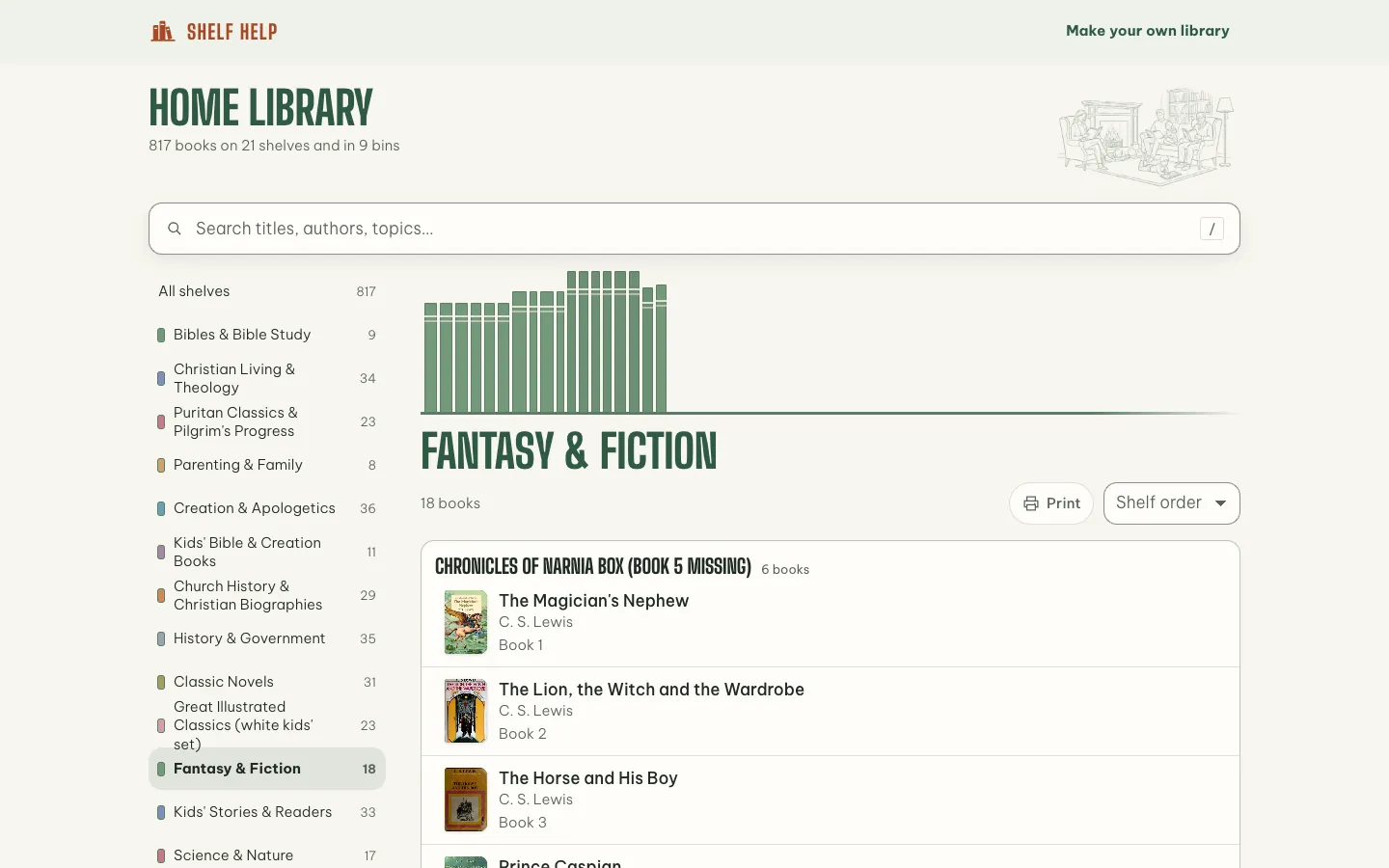
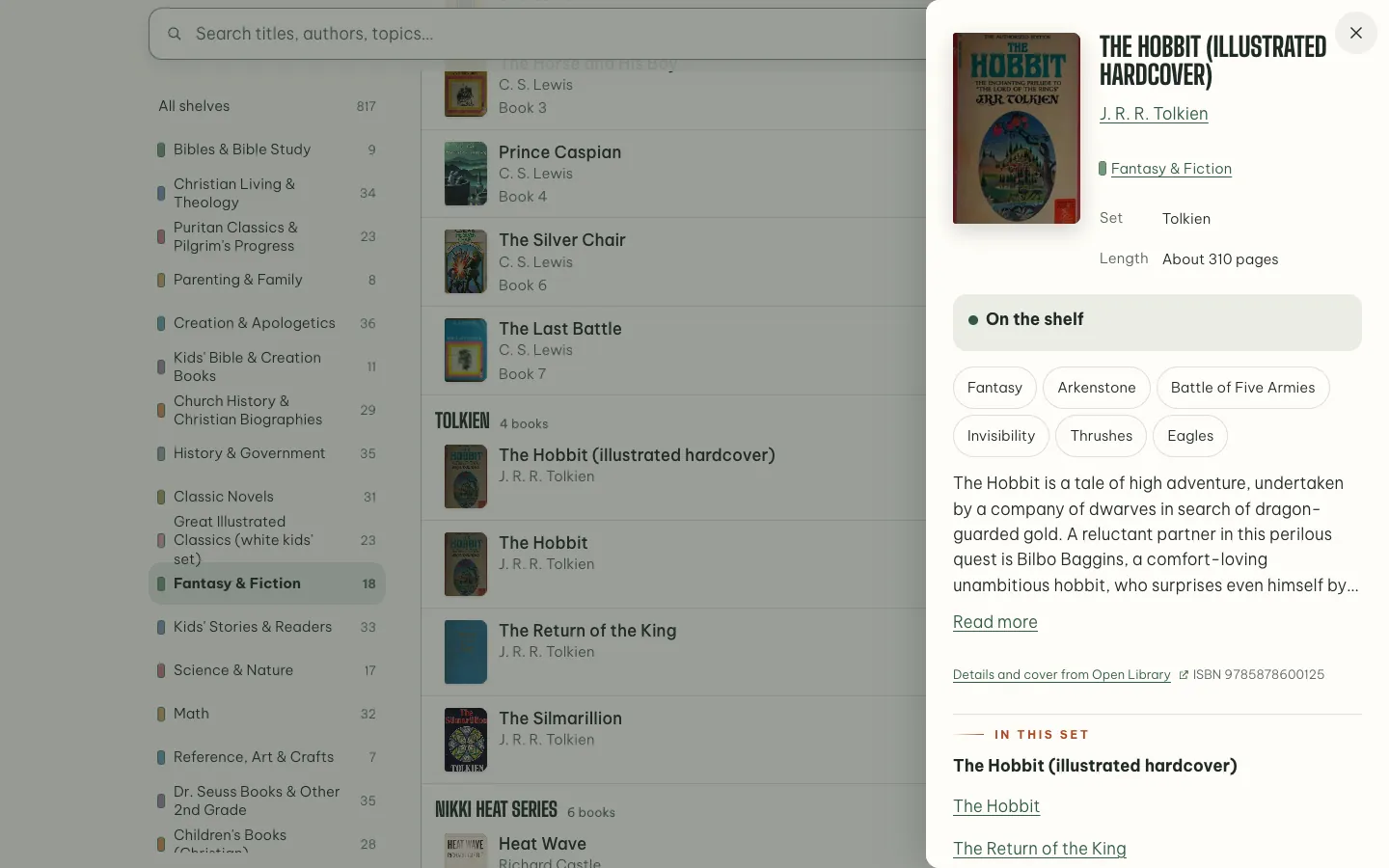
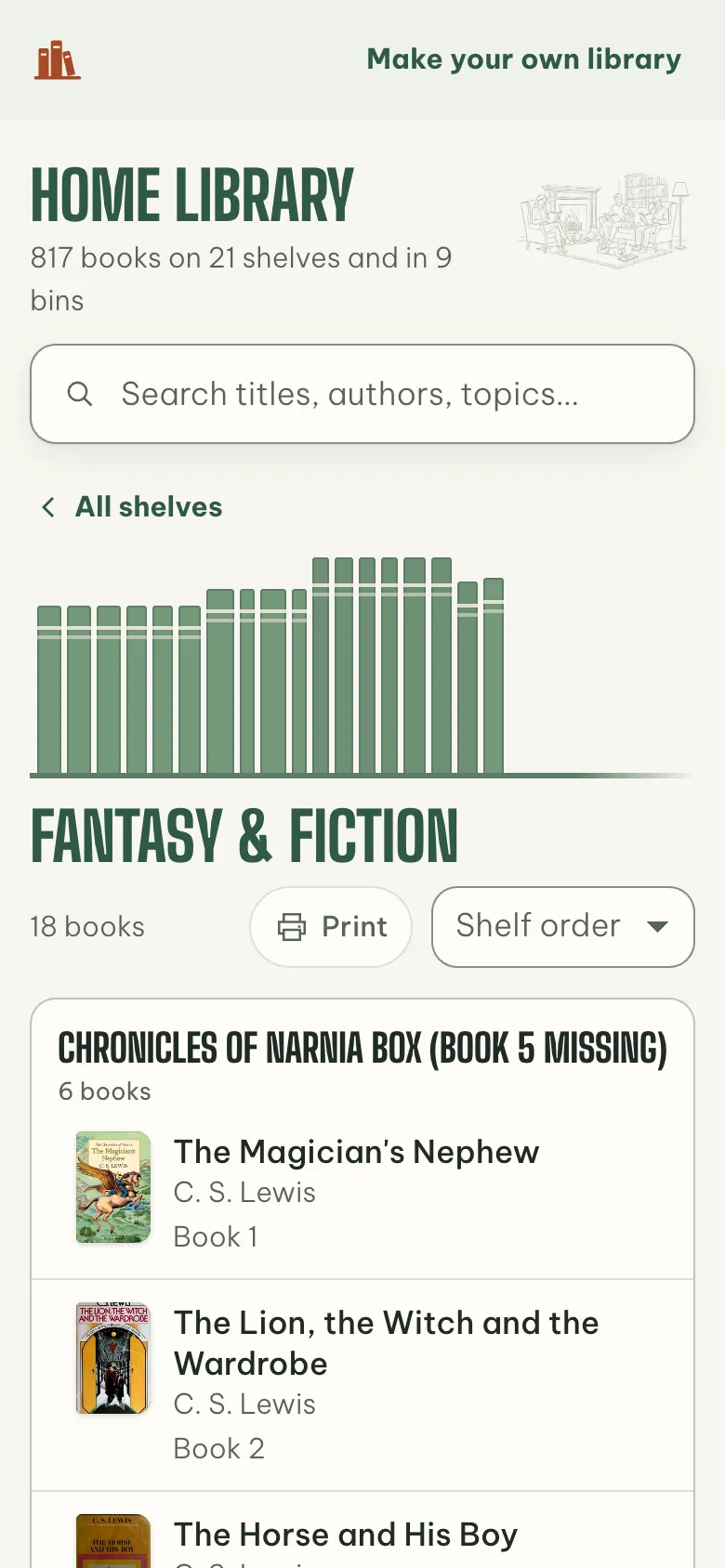
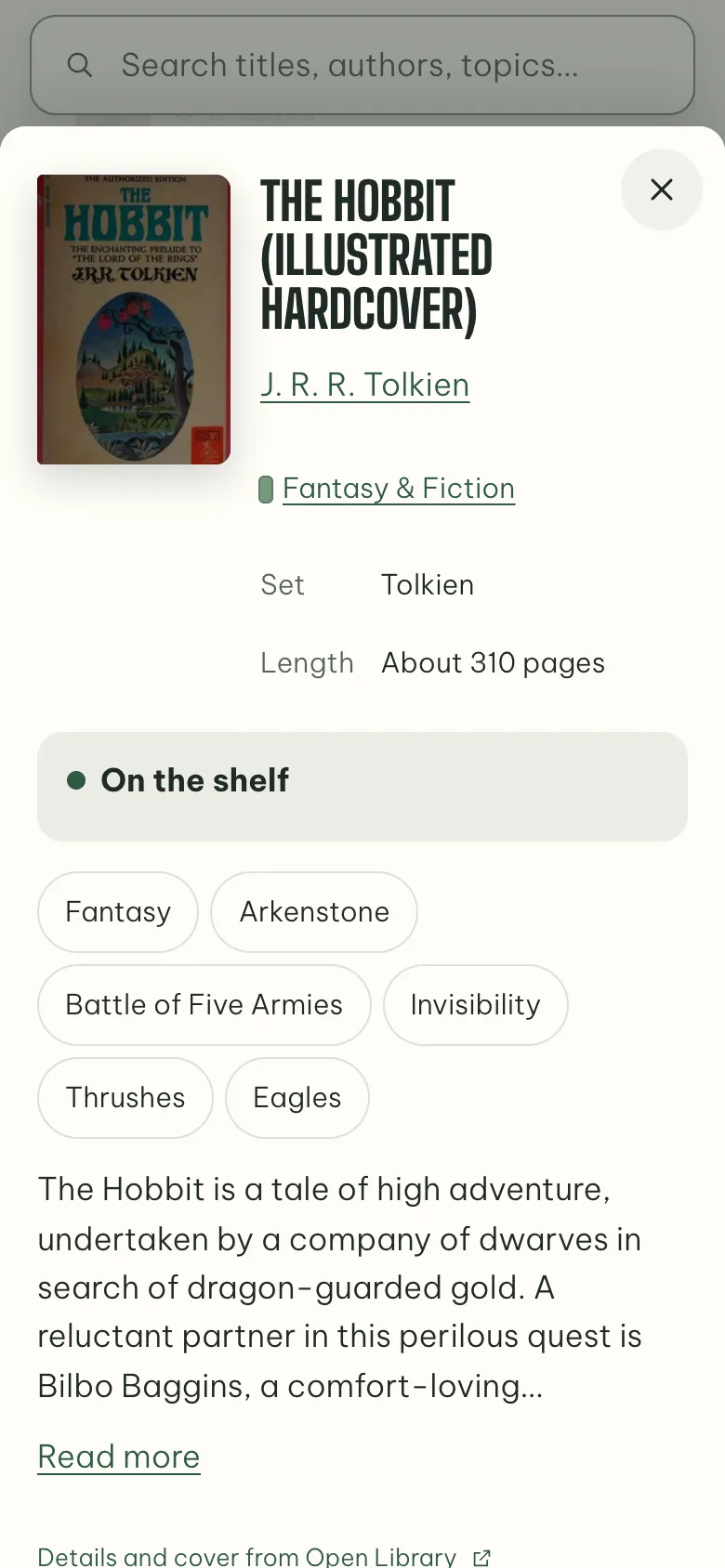
Every shelf and bin shows as a row of book spines in its own soft bookcloth, and books in a set share one color, the way a box set does. The spines are the only bold thing on the screen; everything around them stays quiet. Tap a shelf to see its books, and a book for its cover, its set, its topics and whether it’s on the shelf.
Covers and details come from Open Library, matched only when the title matches and the author confirms it, and reviewed before they’re applied. A book with no match keeps a cover drawn in its shelf’s cloth.
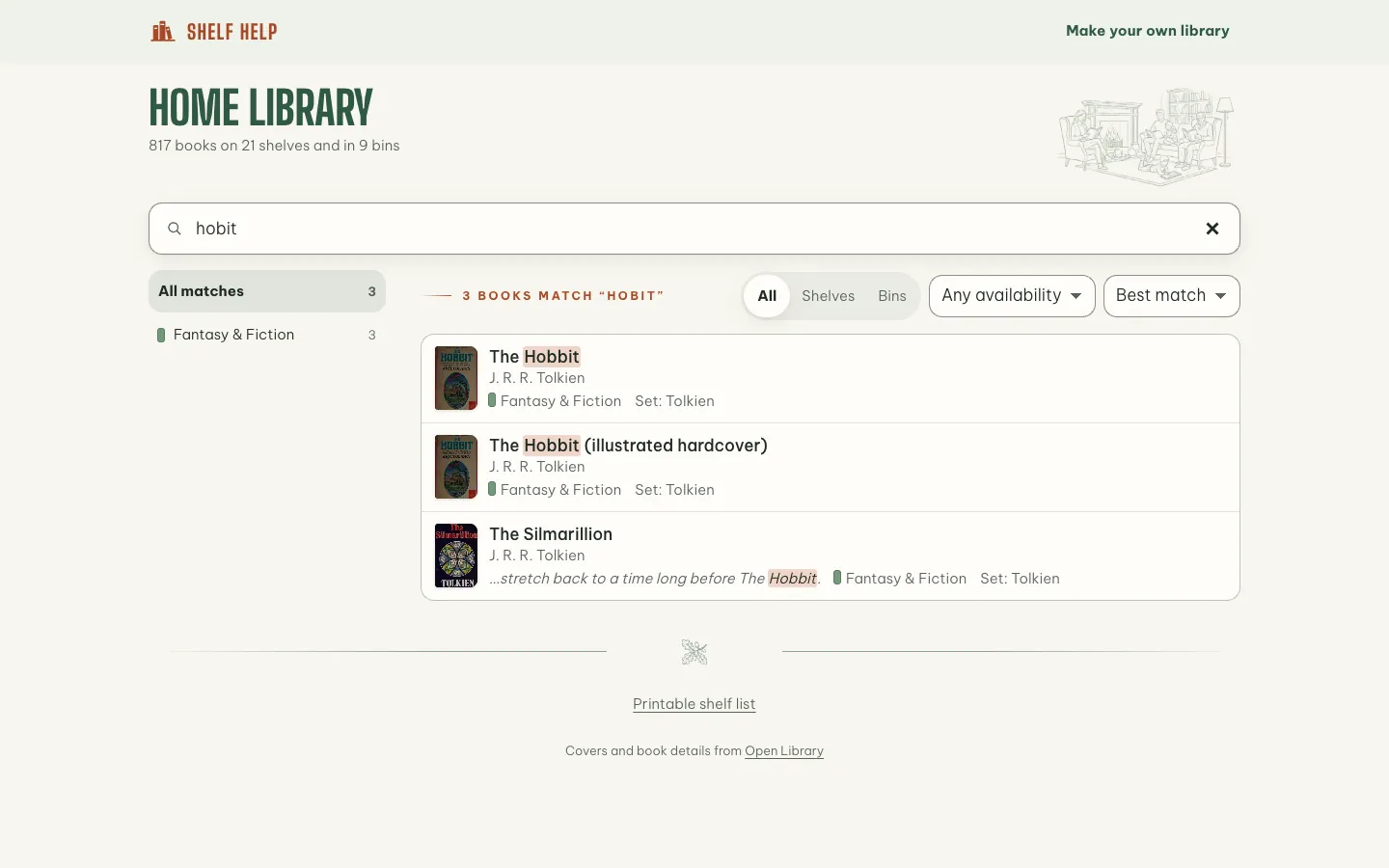
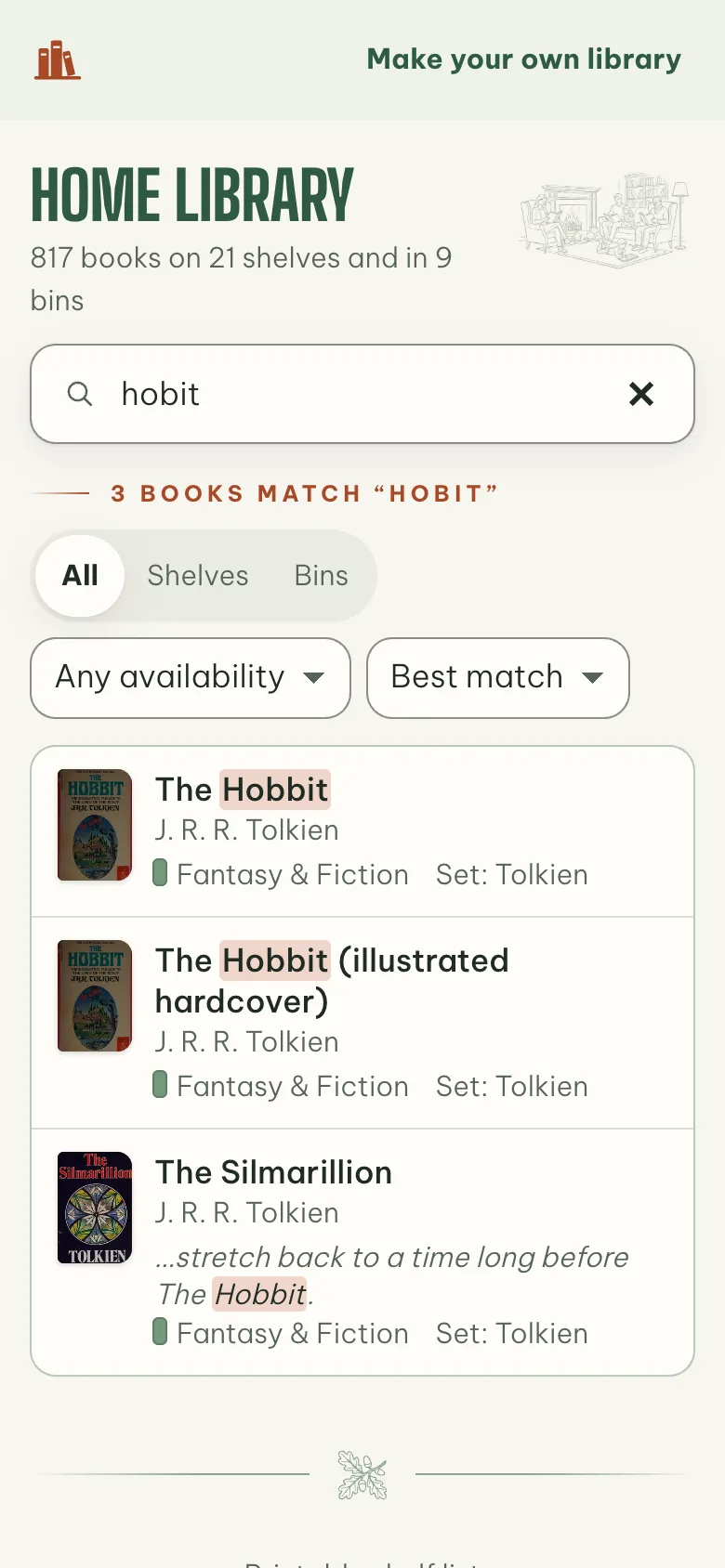
“hobit” still finds The Hobbit
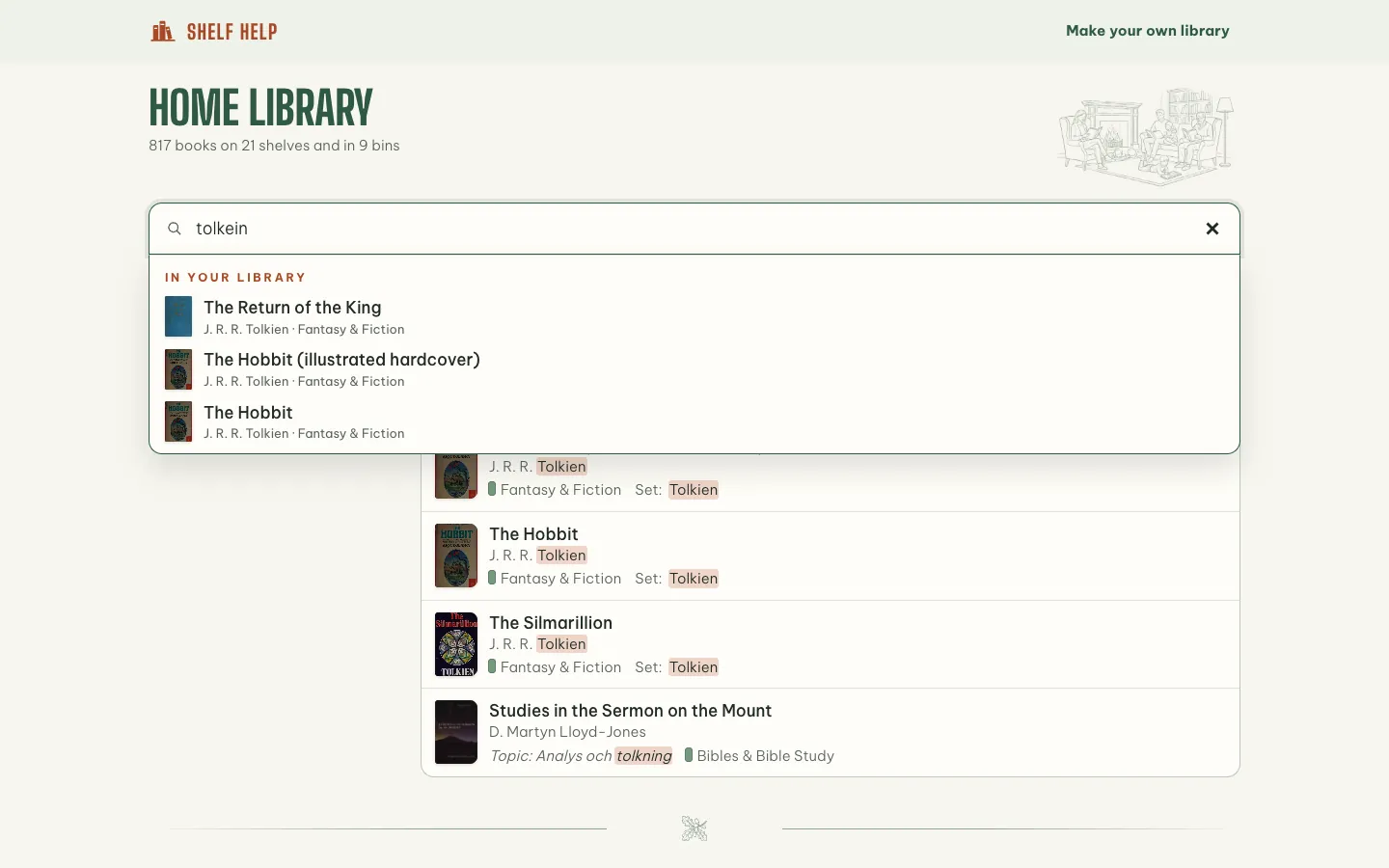
Search is the front door, so it forgives. It ignores case, accents and apostrophes, finds a half-typed last word (“narn” is Narnia) and allows small typos in longer words. It looks through titles, authors, sets, shelves, notes, topics, descriptions and ISBNs, and every result says which shelf the book is on. Plain phrases work too: “by lewis”, “about dragons”, “checked out”.
Results update on every keystroke, with suggestions grouped as you type. It all runs in the browser: in our test across 1,000 books, 95% of searches finish in under 16 ms.
Keeping the list right
A catalog is only useful while it matches the shelves, so adding a book is mostly picking it:
- Add a book by picking it. Typing a title, an author or an ISBN searches Open Library as you type. Picking a result fills in the cover, description, topics, ISBN and page count.
- The shelf is suggested, with the reason. From the library itself: the set’s shelf, the author’s other books, or the shelf with the closest topics. “Other books by C. S. Lewis are there.”
- Duplicates are caught. If the book is already in the library, the form offers “Add another copy instead”.
- Batches are checked before they land. Shelf photos, barcodes and spreadsheets all end on one review, shelf by shelf, then one save with Undo. A spine that couldn’t be confirmed is listed with its picture, never added as a guess.
Tested by hiding each of the first 427 books in turn and asking where it goes, the shelf suggestion is right 83% of the time when it’s sure enough to preselect.
Lending works like a small public library: a borrower, a due date, and Returned, Renew and Remind on the book. Borrowers with an email get a heads-up before the due date and gentle notes after it. Borrower names stay private: they are sent only to the library’s signed-in owner and the people they invite to edit. Family browse through a read-only share link that shows a book is checked out, never who has it.
And a mistake can be undone: saves keep versions (the last 50 on Free, more on Plus) that can be restored with Undo, and the whole library exports as a spreadsheet or JSON at any time.
From one family’s shelves to a product
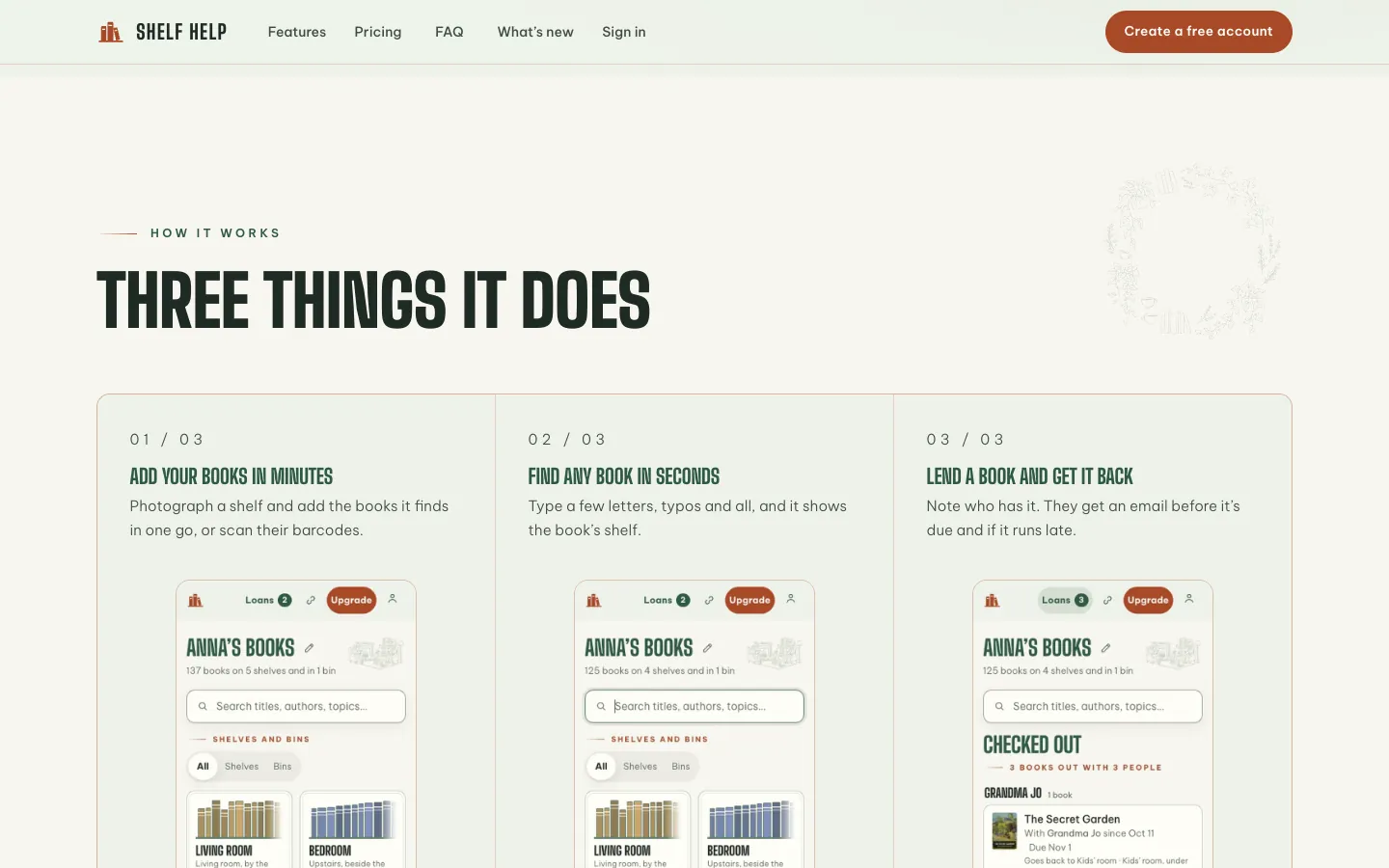
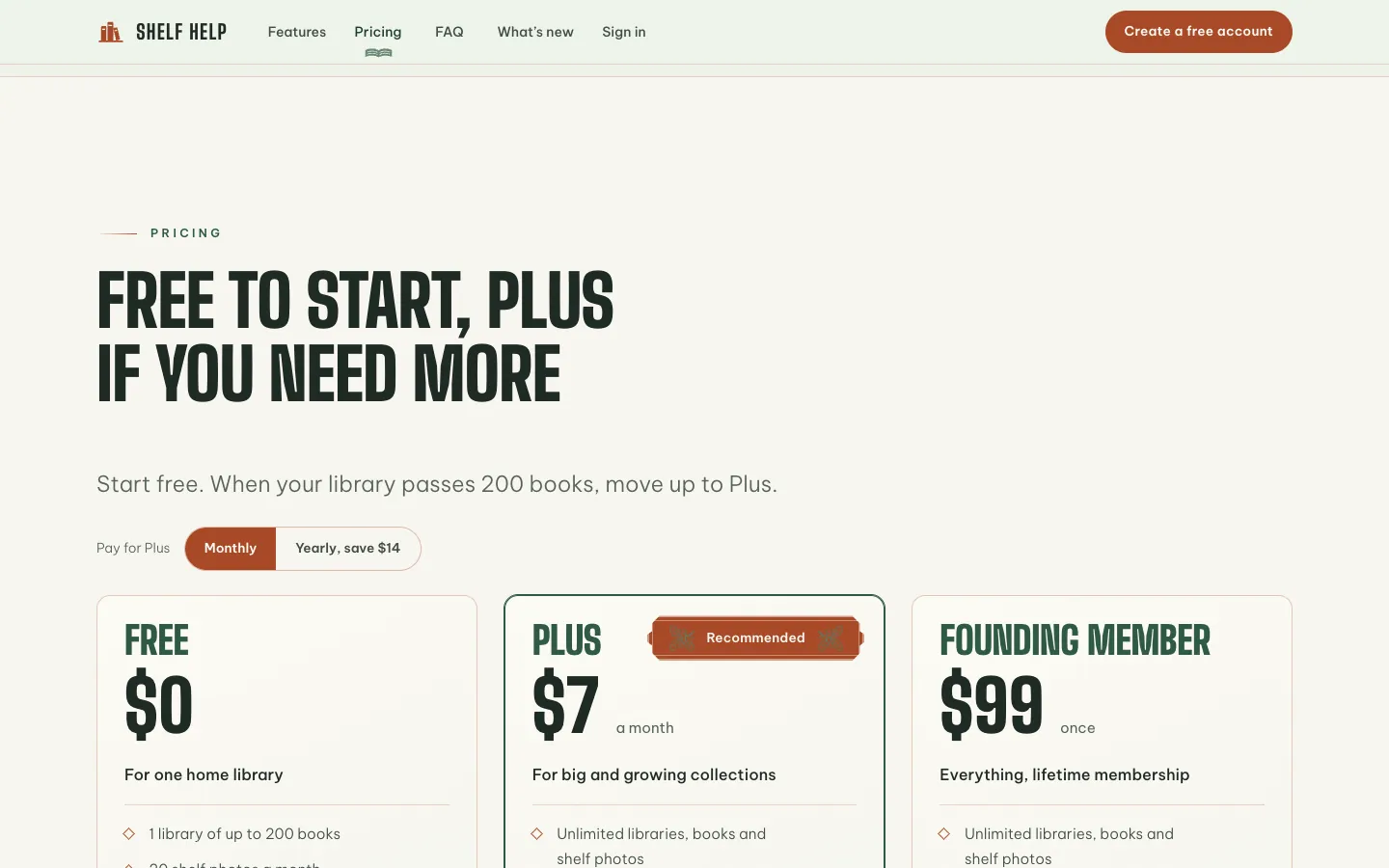
The family’s library is still the first one on it, and the app screens on this page come from its read-only share link. What was built for one house now works for anyone: sign up at shelfhelp.co with an emailed code, photograph a shelf or scan barcodes, and the books land on their shelves. It’s free for a library of up to 200 books, with a Plus plan for bigger collections, and it’s made for families, churches, schools and groups. On a phone it installs from the browser, and a library already opened still opens offline.
For engineersOptimistic saves, in-browser search, one Worker and its ceilings
- The catalog. Each library is one JSON document in Cloudflare R2. Saves are optimistic: the browser sends the catalog with the ETag it loaded, and R2 writes it only if nobody saved first. A second editor gets a 409 and the latest version, so two people can’t overwrite each other. Each save keeps a timestamped version beside it: the newest 50 on Free, more on Plus.
- The app. Static Astro pages with a Preact app, served as a single-page app. Search runs in the browser on MiniSearch, so it answers on every keystroke; in our test across 1,000 books, 95% of searches finish in under 16 ms, one frame at 60 Hz. The first view is one small page, its preloaded scripts and one JSON request, held under a 150 KB budget gzipped.
- The Worker. One Cloudflare Worker serves the API and the covers. Accounts, sessions, share links and the reminder log live in a SQLite-backed Durable Object. Covers are fetched from Open Library once and kept in R2.
- Shelf photos. Gemini reads the whole photo, then each spine closely. Anything a catalog (Open Library, then Google Books) can’t confirm is listed for the owner to check, never added as a guess.
- Privacy and cost. A test lists every route the Worker serves and who may call it, and fails for one it doesn’t know. Anything that costs money per call (photo reading, email, cover lookups) has a daily ceiling that stops it and sends an alert.
We built one family’s library catalog with the care of a product, then opened it to everyone: any book, and the shelf it’s on, in seconds.